
App · iOS · Android
Missions: Daily Task Planner
Plan your day without the clutter.
A daily planner for people who want some structure without a lot of setup. Add tasks by voice, plan on a timeline, run Pomodoro sessions, and let AI suggest what to tackle first based on how you actually work.
- AI Quick-Fill
- Pomodoro focus
- 24 languages
Screenshots
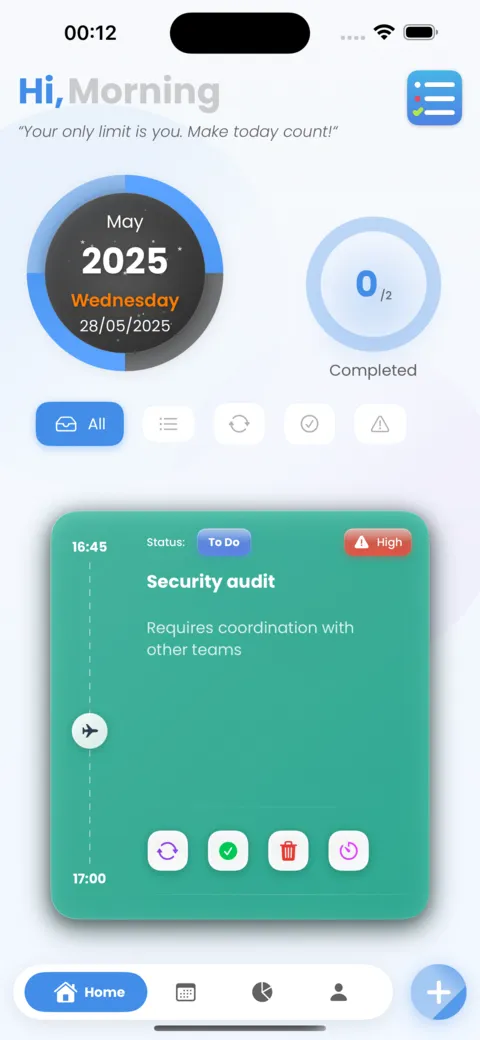
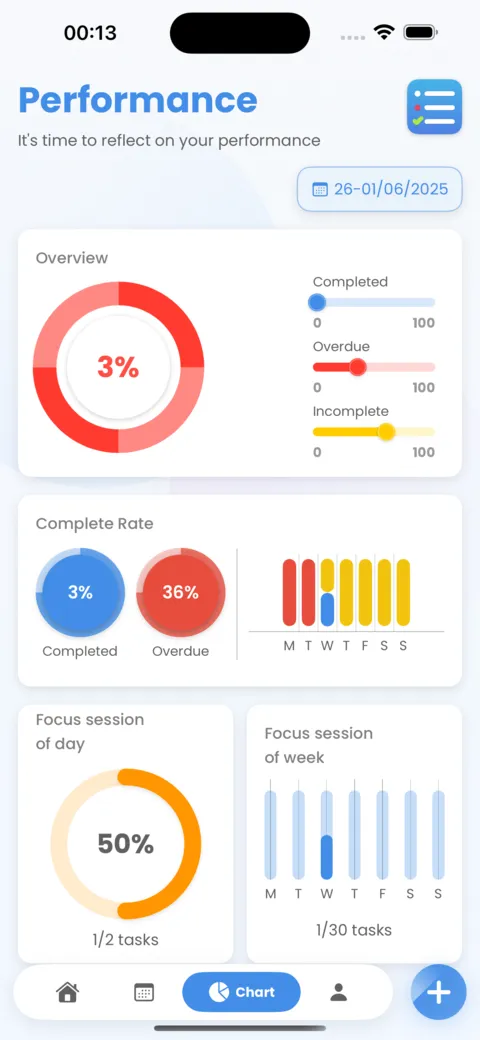
How it works
- 1
Say a task out loud. Missions picks out the title, date, time, and tag.
- 2
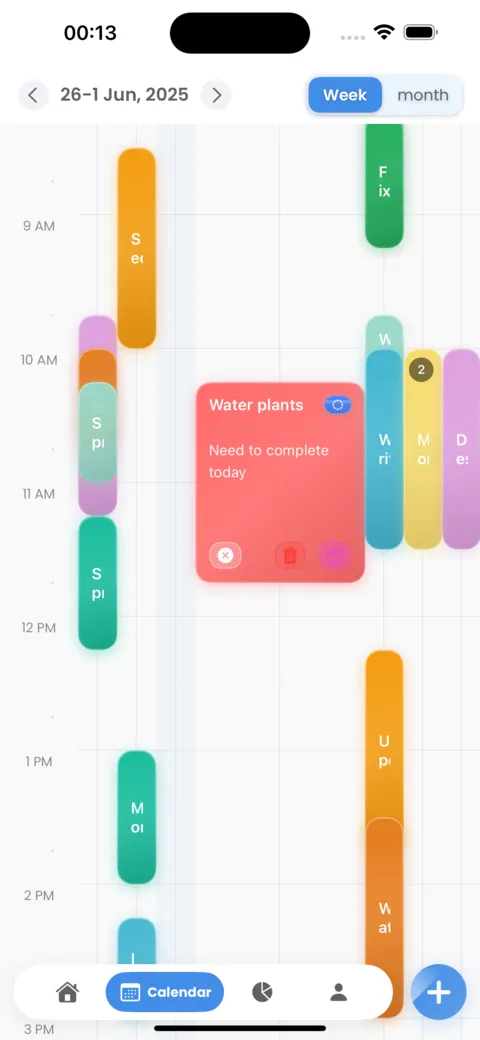
Plan your week on the calendar and drag tasks around when plans change.
- 3
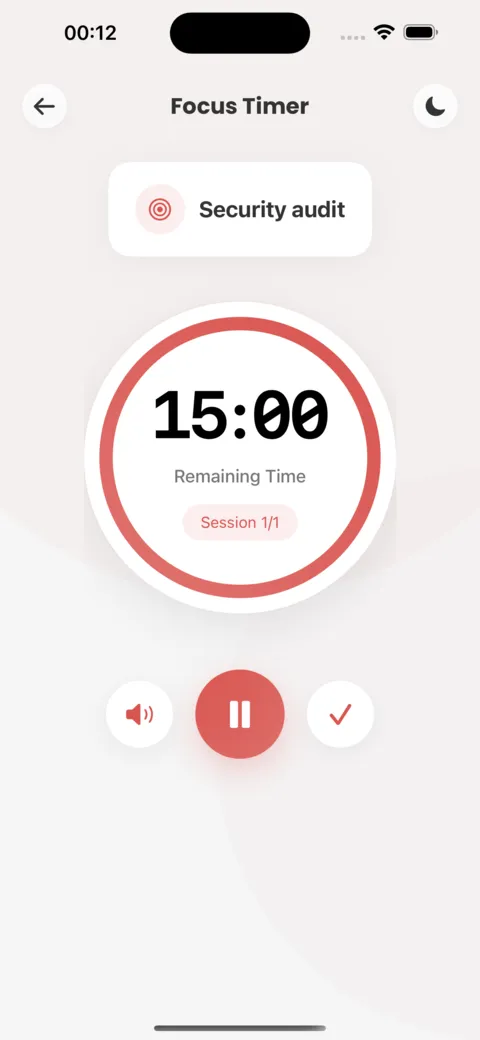
Start a Pomodoro session when it's time to focus.
- 4
Check your progress on the charts and keep your streak going.
Why you'll like it
Add tasks by voice
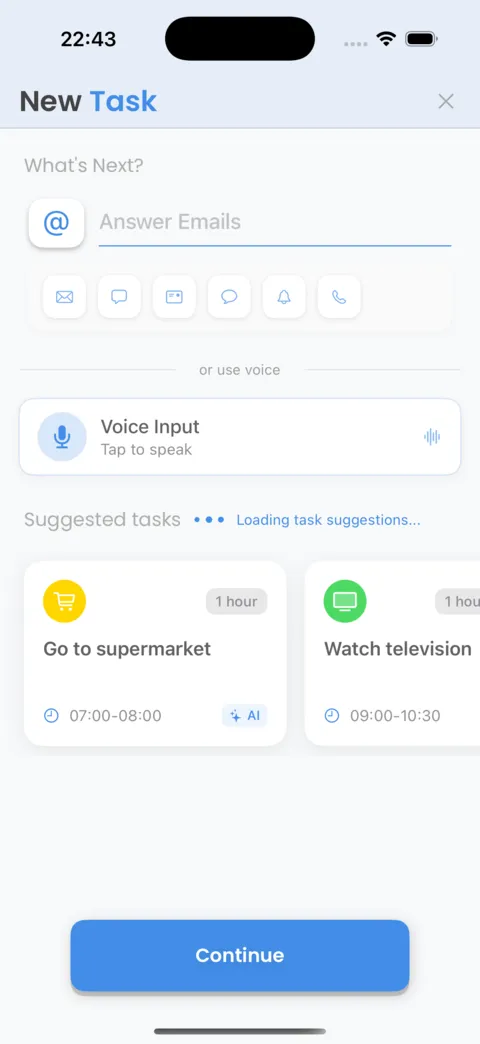
Most task apps make you fill in a form. In Missions you just say what you need to do, like "call the bank tomorrow at 10", and AI Quick-Fill pulls out the title, date, time, and tag for you.
You can still edit anything before saving, and you can add subtasks, voice notes, and attachments when a task needs more detail. But for the everyday stuff, saying it is enough, which means tasks actually get written down instead of living in your head.
Your week at a glance
Day, week, and month views show what's coming. When plans change, drag a task to another day instead of letting it pile up as overdue. Recurring tasks and smart reminders handle the routine things, and reminders respect Do Not Disturb and Focus filters.
Today is also there when you're not in the app: on Home Screen and Lock Screen widgets, in StandBy, and on Apple Watch. The interface is hand-drawn, closer to a notebook than a dashboard, with big type and soft colors.
Focus when it counts
When it's time to do the work, switch to Focus mode. The Pomodoro timer comes with six ambient sound themes and keeps you on one task until the session ends.
Afterwards, the charts show how the week actually went: what you finished, what slipped, your completion rate, and how many focus sessions you got in each day. Streaks and badges mark steady progress without turning it into pressure, and your data stays on your device unless you turn on iCloud sync.
About
Missions is a daily planner for people who want their day organized without spending half of it setting things up. Say a task out loud and AI fills in the title, time, and tags for you. Then plan it on a week or month calendar, or on a timeline.
When it's time to work, the built-in Pomodoro timer and focus themes help you stay on one thing. Charts show what you finished and what slipped, widgets keep today on your home screen, and iCloud sync keeps your Apple devices in step. Your data stays on your device unless you turn sync on.
Key features
- Voice to Task: say it, and AI turns it into a task
- AI suggestions based on your real usage, not generic templates
- Built-in Pomodoro timer for deep focus sessions
- Month, week, and timeline views with progress charts
- Live status tracking so nothing falls through the cracks
- Home screen widgets summarizing your day at a glance
- Siri and Shortcuts support for hands-free use
- iCloud sync across all your Apple devices
- Focus themes to match your mood
- Quick search, filter, and export when you need it
Questions
Is Missions free?
Yes. The free version includes ads. A Premium upgrade removes them and unlocks unlimited tasks, iCloud sync, and the full theme library.
Where is my data stored?
Your tasks live on your device. iCloud sync is optional and only used if you turn it on.
Does it work with widgets and Apple Watch?
Yes. There are Home Screen, Lock Screen, and StandBy widgets, plus Apple Watch and Siri Shortcuts support.
Get the app: Missions: Daily Task Planner
Free to download. Try it, and if it's not for you, delete it.